
The Employees’ Provident Fund Organisation (EPFO) has made it easier and more convenient for salaried employees to transfer their Provident Fund (PF) balance while changing jobs. The new EPFO Member Portal’s latest update provides you with two online ways to transfer your PF balance from your old employer to your current account with less paperwork and more efficiency.
The update is part of EPFO’s wider effort towards digital modernization, which includes a centralized database and enhanced online services for the millions of EPF subscribers across the country.
Why You Need To Shift Your PF Balance
When you change your job, your UAN number remains mostly the same but a new PF member account is created under your new employer. Transferring your old PF amount instead of withdrawing it helps you:
- Keep all your retirement savings in one place.
- Keep earning EPF interest without any break.
- Retain your Pension (EPS) service history.
- Avoid potential tax consequences of early withdrawals.
- Easily manage your PF account & withdrawal in future.
Two Ways to Transfer Your PF Online
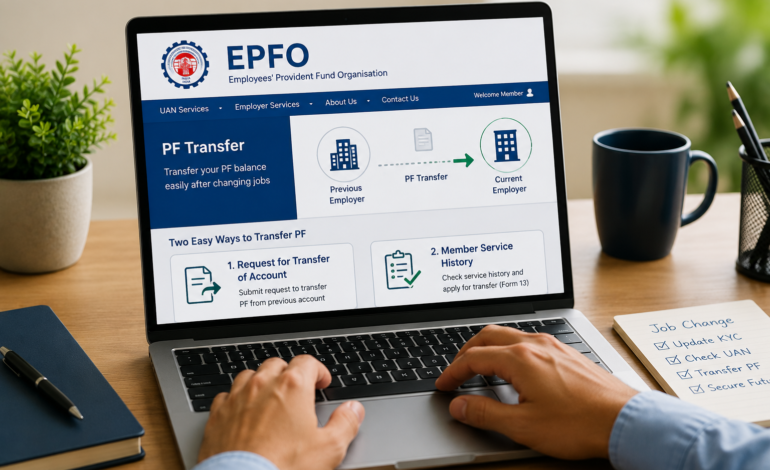
The updated EPFO portal now allows members to transfer their PF balance using either of the following options after logging in with their UAN.
1. Request for Transfer of Account
This option is available under the Online Services section of the EPFO Member Portal. Employees can initiate a PF transfer request by entering their previous employer’s details and completing the verification process.
2. Member Service History
Members can also visit the Member Service History section to view their employment records. If a transfer has not already been completed, the portal provides an option to submit a Service Transfer Claim (Form 13) directly from this page.
Step-by-Step PF Transfer Process
Regardless of which option you choose, the process is straightforward:
- Log in to the EPFO Member Portal using your UAN.
- Select one of the available PF transfer options.
- Enter your previous employer’s Member ID.
- Verify the details displayed on the screen.
- Complete Aadhaar-based OTP verification.
- Submit your transfer request.
- EPFO will process the request and transfer your PF balance to your current account.
Automatic PF Transfers for Aadhaar-Linked UANs
EPFO has also announced that employees with Aadhaar-linked UAN accounts may benefit from automatic PF transfers when changing jobs. This eliminates the need to submit a separate transfer request in many cases, making job transitions much smoother.
Important Things to Check Before Applying
Before initiating a transfer, ensure that:
- Your UAN is active.
- Aadhaar is linked and verified.
- KYC details are updated.
- Your previous employer has updated your Date of Exit.
- Both old and new PF accounts are linked to the same UAN.
Keeping these details updated helps avoid delays during the transfer process.
EPFO’s Digital Upgrade
The new transfer options are part of EPFO’s ongoing technology upgrade, aimed at providing faster claim processing, easier account management, and a better experience for members. The centralized platform is expected to reduce manual intervention and improve the efficiency of various EPFO services.
Final Thoughts
Changing jobs no longer has to mean dealing with complicated PF transfer procedures. With the revamped EPFO Member Portal, employees now have two convenient online methods to transfer their PF balance, while Aadhaar-linked accounts may even qualify for automatic transfers.
Employees are encouraged to keep their UAN and KYC information updated to take full advantage of these new digital services and ensure their retirement savings remain consolidated.
For more